

How to Show Units Instead of Meters in Cities: Skylines 2
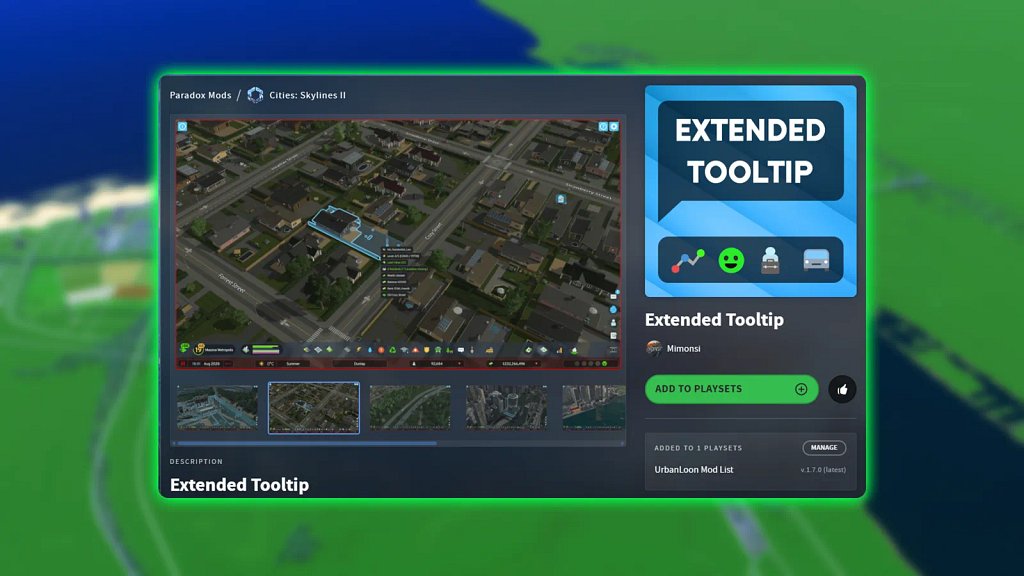
To show units instead of meters or feet in Cities: Skylines 2, you need the Extended Tooltip mod, which adds additional information and measurement options to the game’s tooltips.
How to Enable Unit Measurements in Cities: Skylines 2
First, download and activate Extended Tooltip through Paradox Mods.
Once the mod is installed:
-
Open Cities: Skylines 2.
-
Open the game’s Options menu.
-
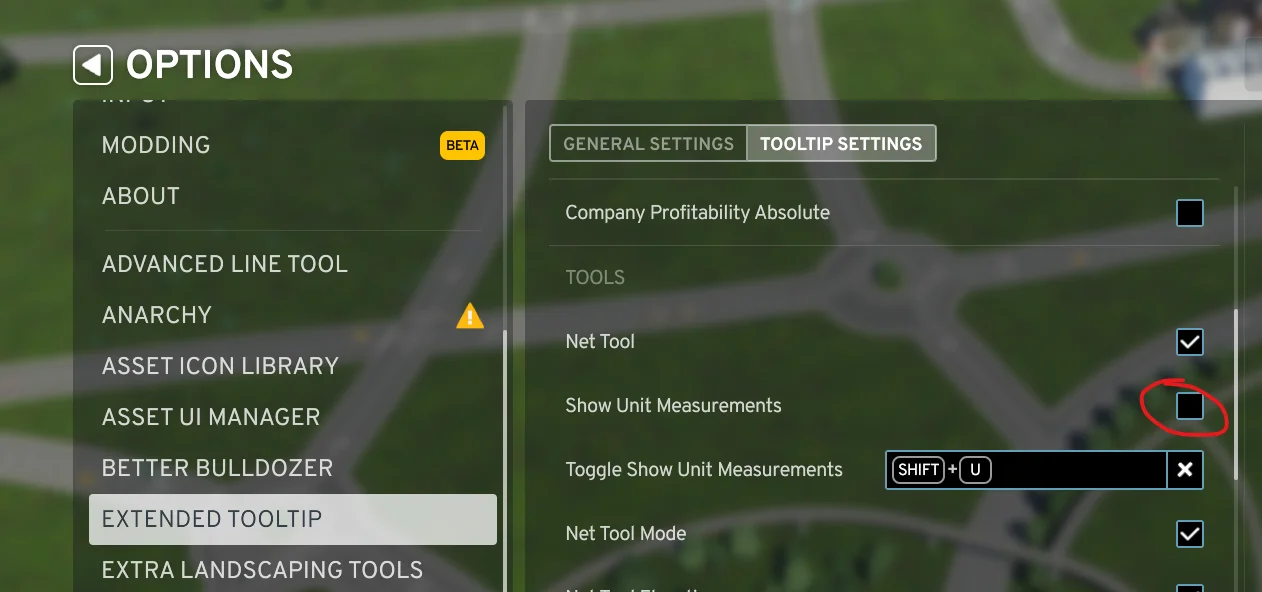
Scroll down the options list until you find Extended Tooltip.
-
Select Tooltip Settings.
-
Scroll down to the Tools section.
-
Enable Show Unit Measurements.
Road lengths should now be displayed using u, meaning units, instead of meters or imperial measurements.
Why Units Are The SUPERIOR Measurement
Cities: Skylines 2 normally measures road lengths using real-world distances such as meters or imperial measurements.
That sounds logical. It is also worse for actually building a city.
Units are the better measurement system because they match the game’s underlying grid. Instead of remembering that a road needs to be 64, 80, or 96 meters long, you can work with clean measurements such as 8, 10, or 12 units.
This makes road layouts easier to plan, repeat, resize, and explain.
The base game does not provide a normal option for switching road measurements to units.
Why Units Are Better Than Meters
Units Match the Zoning Grid
One unit is equivalent to approximately 8 meters, which also corresponds to the width of one zoning cell. A standard two-lane road is approximately two units, or 16 meters, wide.
That means units communicate the information that actually matters while building:
-
How many zoning cells fit beside a road
-
How much space exists between intersections
-
Whether two road sections are the same length
-
Whether a layout will connect cleanly
-
How easily a road can be replaced later
Meters tell you the theoretical real-world distance. Units tell you how the road interacts with the game.
Units Produce Cleaner Numbers
Metric measurements frequently produce numbers such as:
-
63.7 meters
-
79.9 meters
-
104.2 meters
These values are technically precise, but they are not useful.
With units, those same roads can be understood as approximately:
-
8 units
-
10 units
-
13 units
Whole units are easier to remember and much easier to reproduce elsewhere in the city.
Units Make Consistent Road Layouts Easier
Suppose you want every block along a main road to be ten zoning cells long.
Using units, you build each segment at 10u.
Using meters, you need to remember that each segment should be approximately 80 meters, while also watching for decimals and slight snapping differences.
Both systems describe the same distance. Units describe it in the language the game’s grid actually uses.
Units Are Better for Following Tutorials
Units are also much easier when following a road-building guide.
An instruction such as: Build a 12-unit road and place another road six units away.
is immediately connected to the visible zoning grid.
The meter-based version: Build a 96-meter road and place another road 48 meters away.
communicates the same layout, but forces the player to translate real-world measurements back into grid space.
That extra conversion serves no practical purpose.
Units Are Not More Realistic, but They Are More Useful
Meters and imperial measurements are useful when recreating a real location at a specific scale. They can help when comparing an in-game road, building, or neighbourhood against real-world dimensions.
For normal city building, however, units are more practical.
Cities: Skylines 2 is still a grid-based city-building game. Roads create zoning cells, buildings occupy a set number of cells, and most layouts depend on how those cells connect.
The most useful measurement is therefore the one that directly represents that grid.
Common Unit Conversions
Because one unit is approximately eight meters, you can use these basic conversions:
| Units | Approximate Distance |
|---|---|
| 1u | 8 metres |
| 2u | 16 metres |
| 4u | 32 metres |
| 5u | 40 metres |
| 8u | 64 metres |
| 10u | 80 metres |
| 12u | 96 metres |
| 16u | 128 metres |
| 20u | 160 metres |
You generally will not need to perform these conversions while playing. That is the entire advantage of using units.
Install Extended Tooltip, enable Show Unit Measurements, and stop doing unnecessary math every time you build a road.
TLDR;
Meters tell you how long a road would theoretically be in the real world.
Units tell you how that road actually fits inside Cities: Skylines 2.
For building clean grids, matching road lengths, planning zoning, following tutorials, or creating repeatable layouts, units are superior.
Install Extended Tooltip, enable Show Unit Measurements, and stop doing unnecessary math every time you build a road.
Cities Skylines 2