
Why Is There No Residential Demand in Cities: Skylines 2?
If your residential demand has completely disappeared in Cities: Skylines 2, do not immediately zone more housing.
Residential demand normally falls because your city already has enough vacant homes, does not have enough available jobs, has high residential taxes, or is attracting households that want a different type of housing.
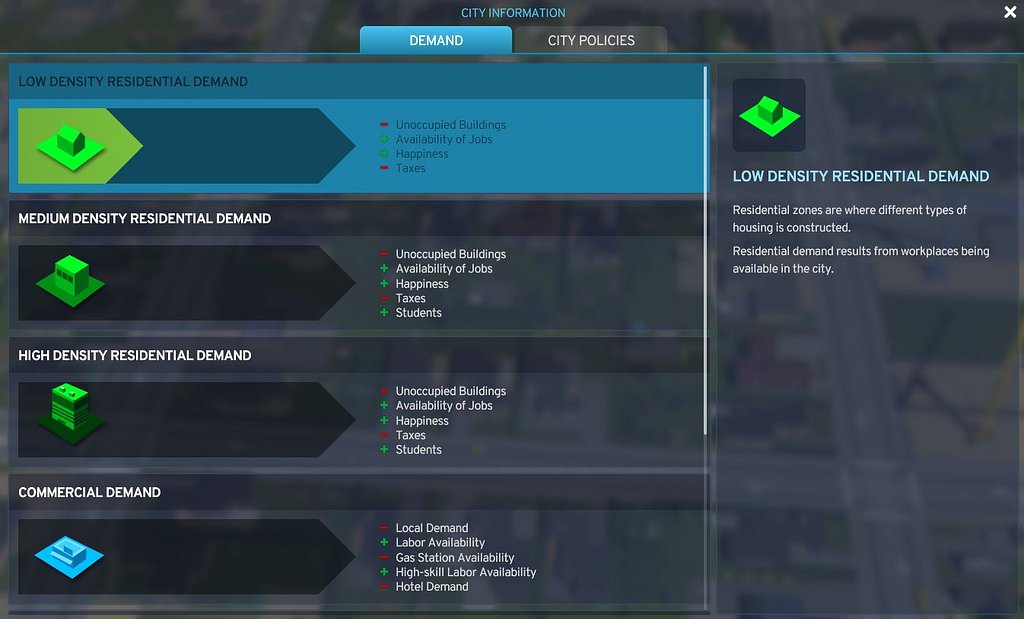
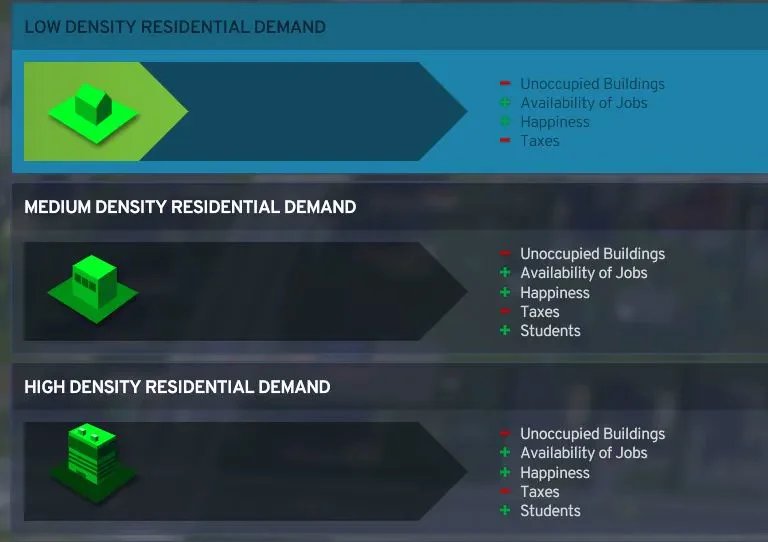
The fastest way to find the actual cause is to open the City Information panel beside the demand bars and inspect the positive and negative residential demand factors. The game calculates residential demand using factors including vacant housing, jobs, unemployment, taxes, happiness, homelessness, education opportunities, household wealth, and household size.
Check the Residential Demand Factors First
Before changing anything, open the detailed demand information:
- Find the demand bars at the bottom of the screen.
- Click the City Information button beside them.
- Open the residential demand information.
- Look at the positive and negative factors affecting demand.
This panel is more useful than guessing. It tells you whether your city needs more jobs, has too many empty homes, is suffering from high taxes, or simply does not currently need additional housing.
Guide
1. Your City Already Has Empty Homes
The most common reason for zero residential demand is that you have already built more housing than your population needs.
New citizens can move into existing empty homes, so the game has no reason to request additional residential zoning.
What to do
Stop zoning residential areas and allow the simulation to run.
Watch whether:
- Empty buildings begin filling
- Population continues increasing
- Existing zoned areas finish developing
- Residential demand eventually returns
Your population can still grow while the demand bar remains empty. This simply means people are moving into housing that already exists.
2. You Do Not Have Enough Jobs
Residential demand is closely connected to employment.
If unemployment is high, your city already has more workers than available jobs. Adding more housing will only bring in more people who cannot find work.
What to do
Check your unemployment rate and available workplaces.
Add commercial, industrial, or office zoning that matches the education level of your population. Offices will not solve the problem if most unemployed citizens are not educated enough to work there.
Create jobs first, then give businesses time to hire workers.
3. Residential Taxes Are Too High
High residential taxes can make your city less attractive to new households.
Open:
Economy → Taxation → Residential
If residential taxes are unusually high, lower them gradually and allow the simulation to react.
You do not need to reduce taxes to zero. Only lower them enough to remove the negative demand factor without destroying your city budget.
4. You Are Zoning the Wrong Density
Cities: Skylines 2 separates residential demand into:
- Low density
- Medium density
- High density
It is normal for one demand bar to be empty while another is full.
For example, your city may currently want apartments but not detached houses. Zoning more low-density residential will not help if the demand is for medium or high-density housing.
What to do
Check each residential bar separately and zone the type of housing people actually want.
Do not assume every city should have demand for every density at the same time.
5. Citizen Happiness Is Too Low
A city with major service or environmental problems will attract fewer new residents.
Check for widespread issues such as:
- Water or electricity shortages
- Uncollected garbage
- High crime
- Pollution
- Poor healthcare
- Lack of education
- Severe unemployment
Fix the largest citywide problem first. Do not place every service building at once unless the city actually needs them.
6. Homelessness or Unaffordable Housing Is Causing Problems
Residential demand can also behave strangely when citizens are homeless or cannot afford the housing available to them.
This may happen after:
- Demolishing occupied homes
- Large redevelopment projects
- Job losses
- High rent
- A lack of affordable housing options
What to do
Make sure the city has vacant housing at several densities, reasonable taxes, and enough suitable jobs.
Avoid repeatedly bulldozing occupied neighbourhoods while the city is still trying to relocate residents.
7. The Simulation Needs Time to Recalculate
Demand does not always respond immediately after a major change.
If you recently changed taxes, added thousands of jobs, installed an update, or created a large expansion, let the simulation run before changing something else.
Make one adjustment at a time and watch:
- Unemployment
- Population
- Empty homes
- Demand factors
- Business employment
Changing several systems at once makes it difficult to tell what actually fixed the problem.
If all else fails, use the Residential infoview and look for unoccupied buildings. Deleting these can typically restore demand very quickly. This also applies to commercial, office, and industrial.
Quick Checklist
When residential demand disappears, check these in order:
- Are there empty residential buildings?
- Is unemployment high?
- Are residential taxes too high?
- Does another housing density have demand?
- Are citizens unhappy?
- Is homelessness a problem?
- Did you recently make a major change?
- Could a mod be affecting demand?